Custom Websites - Simple, Functional and Built For You

Website Creation and Online Training

  • Home
  • Resources
    • Resources For Site Owners
    • Resources To Create Your Own Videos
  • Custom Website Examples
  • Services
  • About Bill Biko

WordPress 5.0 – What It Means To You!

December 7, 2018 By Bill Biko

WordPress 5.0 brings one of the biggest updates to the WordPress platform yet, a brand new editor for creating posts and pages based on what they call “blocks”.
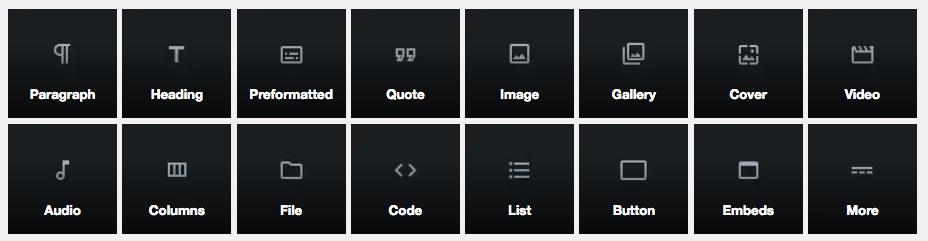
As in building blocks which is one of the best ways for people to visualize this new editor. Previously the editor was more aligned with early versions of Word processors which allowed you to change fonts, bold or italicize sections, change alignment and even add images.

But it was clunky. It wasn’t very intuitive, and it often didn’t end up looking how you wanted it after it was published. It was more of a case of What You See Is a Rough Indication Of What You Might Get versus WYSIWYG (What You See Is What You Get).

This became especially problematic with images if you strayed from left justification.

With the new editor the idea is you’ll now have much more freedom in where items go on the page and how they are displayed. You won’t be locked into simply having to deal with how it looked or contacting someone like myself to edit and/or insert code to get the results you wanted. 

Or that’s the premise anyway.

So, what does it meant to you?

It should mean less frustration with laying out your post or page. It should translate to more efficient use of your time as you add new content a little more effortlessly and with less tinkering.

It should make the process of getting your content published with the look you want less of a pain and it should save you money as you shouldn’t need to call me quite as often unfortunately.

So How Does WordPress 5.0 Change Editing?

When we’re talking about how the editing is changing it brings us back to these building blocks I mentioned earlier

Now honestly, as this just released yesterday, it’s a little early to tell how much easier this will make things.

Initially creating my first new post it was actually more confusing, of course if you’re used to a specific way of doing anything and it changes it often initially feels more confusing, at least at first

With this being my second post I’ve actually become a little more comfortable and familiar with it and I’m finding it quite a bit less confusing. I’m hoping as I create more content and play with the interface more it will become even easier.

What I’ve learned so far is you can add these various blocks such as galleries, images, headings, paragraphs, lists files and even more quite quickly versus the previous method. And as I use it more it’s starting to provide more flexibility to do what I want without jumping through extra hoops.

In the next section I’ll show some quick examples.

WordPress 5.0 Building Block Examples 

In an effort to show off a few of these blocks, here are several of the most common blocks, I’ll start with a list of the default blocks.

  • Headings
  • Paragraphs
  • Lists
  • Images
  • Gallery
  • Quote
  • Audio
  • File
  • Cover
  • and more that will be added over time

This section I’ve highlighted the background in colour to show off the ease of section colours. While this could be done on the previous version it simply wasn’t as easy.

Over the next several months we’ll likely see even more blocks brought to you via plugins. I’ve already seen some starting to appear so here is another list of blocks I know are available.

  • Testimonials
  • Google Maps
  • Charts
  • Pricing
  • and the list goes on

Obviously one of the most popular blocks will be the image and gallery blocks, so here they are.

WordPress 5.0 blocks
  • Simple websites with WordPress

And who doesn’t like a quote every now and then? Bill

So How Do I Upgrade?

The upgrade process isn’t too hard, I just recommend you make a backup of your site before making any drastic changes like this.

If you already have a monthly service agreement with myself or your site designer it will likely be done for you over the next several weeks in the background.

As this is a brand new version, for my clients I’m slowly implementing it on their sites one at a time so I can check to make sure everything works and it doesn’t accidentally break anything already in place. I’ve already installed it on several test sites (and this one!) and it seems to be working just fine.

Once you’ve logged in and backed up your site (there are several WordPress backup Plugins you can use to complete this task), you should see the option near the top of dashboard to update.

If you haven’t done this recently it may also show a number beside the word Updates with the other plugins or add-ons that may also require updating to be fully compatible with the latest version of WordPress.

Like this.
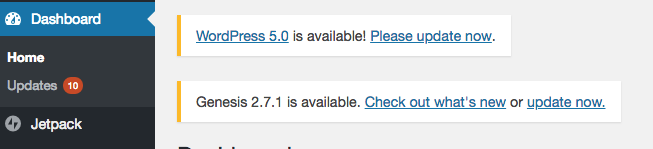
Again, before you do any of the updates, make sure you do a backup of your database as this will allow you to recover it if anything does go badly.

Once your backup is done you’ll want to update the version of WordPress first, then any Themes that require an update and finally plugins.

In the image above you can see the option to update WordPress is available as a link, so you can click directly on it to get started. If you don’t see it, then click on the Dashboard option on the left side and Updates should appear with the number beside it as above.

Clicking on Updates will take you to the Update screen allowing you to first update WordPress, then you can update any themes, and finally the plugins.

If all of the above information is confusing, doesn’t make any sense or simply scares you, for a fee (Sorry I can’t do everything for free!) I can backup your system, complete any required updates and ensure everything is working for you.
Just visit this page and choose the Refresh Website Option,
Services

When you’ve upgraded WordPress to 5.0, it should take you to a screen like this where you can learn a little bit more by scrolling down.
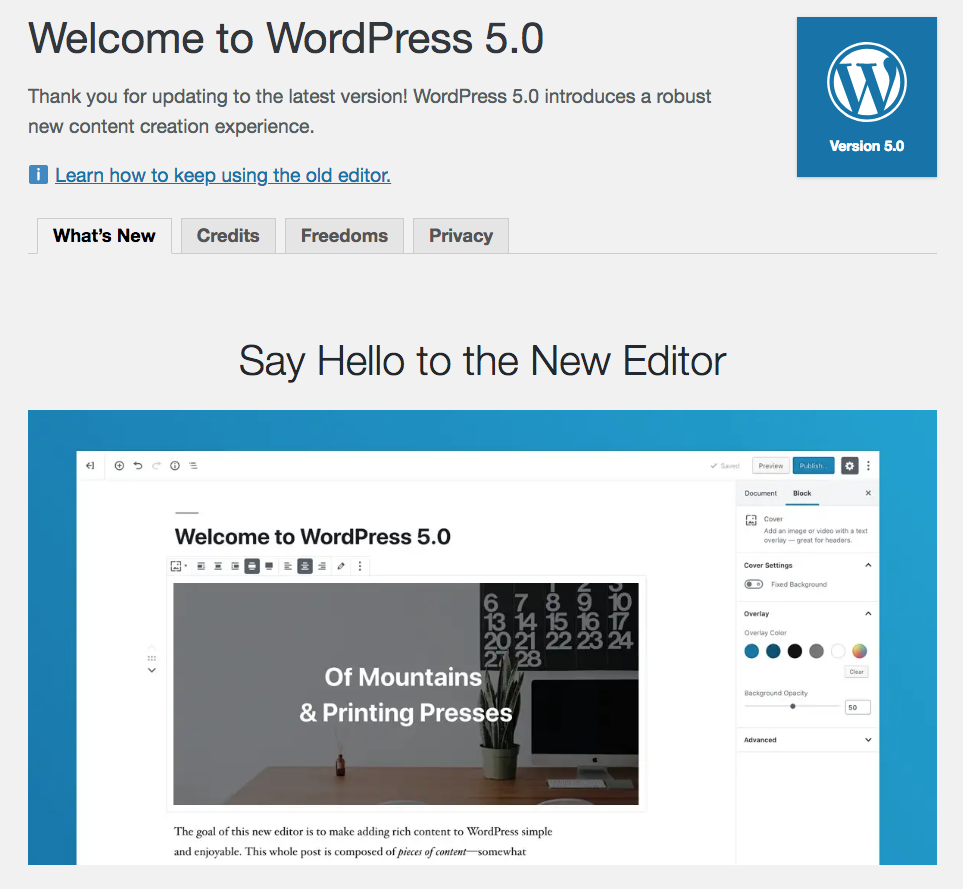
WordPress 5.0 is going to be a big change and I think it will help a lot of businesses get over the hurdle of updating their own site and expanding their online presence.

If you’d like more information about WordPress 5.0, have questions about upgrading your website to WordPress 5.0 or want to learn more about increasing your online web presence visit my Services Page, or leave a comment below!

If you found this helpful I’d really appreciate you taking a minute to leave me some feedback below as well!
Filed Under: Internet Marketing for Business, Local Business Web Marketing

Technology is Changing Marketing

September 12, 2011 By Bill Biko

Marketing Your Business Online – It’s More Important Than Ever

I just bought a new TV recently and I need to start by saying I love it. It’s a bright, shiny new Sony Bravia LED TV that’s incredibly thin, has a brilliant picture and has become a bit of an eye opener for me. Anyone who knows me will quickly pick up on the fact that I am pretty technically inclined (read this as I a a gadget guy), but this new TV caught me completely off guard and it was only this morning that my mind really started to grasp the significance. Especially when it comes to marketing and business!

You see, the last TV I bought was over four years ago and my how things have changed in four short years. This previous TV was near the end of the cycle for that particular technology, so I was able to get a great deal, but this new TV is cutting edge, far superior and for significantly less. It’s already got my mind wandering as to what will be available in four years, but that’s for another post.

Right now, I need to get you up to speed on my revelation. [Read more…]

Filed Under: Internet Marketing for Business, Local Business Web Marketing, Web Video, YouTube Tagged With: Calgary online marketing campaign, calgary small business internet video promotion, Calgary small business video web promotions, internet marketing for business, Internet marketing in calgary, local business online marketing, promote your business online, web video, web video promotions

Facebook, Google Plus and The Evolving Internet

August 25, 2011 By Bill Biko

Facebook and Google Plus

There have been a huge number of changes with this continually evolving Internet since I last posted an article and the biggest news is likely the introduction of Google Plus to the market. Currently Google Plus is still relatively new and doesn’t have all the buttons, bells and whistles that Facebook has to offer, but you know it’s only a matter of time before they introduce their evolved versions of Facebooks offerings.

Perhaps the most talked about current evolution with Google Plus is the introduction of circles to the vocabulary of the Social Networking group. Facebook has lists and groups and Google’s circles are some where in the middle. They are immensely more flexible than lists, but don’t have all the options of groups.

Circles are essentially just [Read more…]

Filed Under: Facebook, Google Plus, Local Business Web Marketing Tagged With: Facebook, facebook fanpages, Google Plus, internet marketing for business, Internet marketing in calgary, local business online marketing, promote your business online, using qr codes to market

QR Codes – How To Use Them To Promote Your Business

May 4, 2011 By Bill Biko

QR codes are the Rubik’s cube of marketing. Many people understand they can be a great solution to promote their business, yet they only get part way to the solution by simply using a QR code to direct clients to their web site.

It just requires a little more creativity and strategy to get to the point of solving the riddle and coming up with a viable use for these crazy little codes.

The easy out is directing people directly to your site, but why not think out of the box, or in this case out of the cube?

You need to put yourself in a client’s shoes and ask what they want from you and your business. One of my favourite examples is restaurants.

What does your client want? Food!!!!! Will a link to your website solve this? What if instead you had your savvy web site designer create a custom mobile web page for your smart phone visitors that took them directly to an embedded video showing off your most popular dishes and a link to your menus? Would this ramp up client interest better than a static web page full of content?

What can you do for your industry that is out of the box? If you would like to get some ideas to help promote your business, use the contact form below to see what we can come up with for you!


Filed Under: Internet Marketing for Business, Local Business Web Marketing, QR Codes Tagged With: Calgary online marketing campaign, Calgary small business video web promotions, internet marketing for business, Internet marketing in calgary, mobile marketing, QR Codes, small business websites, using qr codes to market

QR Codes – Part 2 on the News

March 22, 2011 By Bill Biko

Global TV wrapped up their story about QR codes on the news tonight, here’s the video.

If you are interested in creating some of your own QR codes, here is a link to a site where you can create your own QR codes.

How to Create your own QR Code

If you would like ideas about how you could incorporate QR codes into your business contact us at 403-870-4663 and we can arrange a consultation.

Filed Under: Local Business Web Marketing, Mobile marketing, QR Codes Tagged With: internet marketing for business, Internet marketing in calgary, local business online marketing, mobile marketing, online business tools, promote your business online, QR Codes, small business websites, using qr codes to market

How Can My Business Use QR Codes to Stand Out?

March 21, 2011 By Bill Biko

Using QR Codes In Your Business

I had previously written an article walking you through what QR codes are and what they do, but I seemed to leave an important part out. The part that helps your business to stand out from the crowd!

QR codes seem to have a million and one applications, so I took some time to brainstorm and came up with a few different ideas for several different types and styles of businesses. Before I launch off into these ideas, if you are looking for specific ideas for your business or industry, contact me and we can have a quick consulting meeting to see how we can help you use QR codes to grow your business.

QR Code Uses (or Ways to Engage Your Clients with QR Codes!)

Over the last decade, I have been quite involved in the world of Real Estate and I can easily see a multitude of ideas and marketing concepts for various industries in this sector. Let’s start with Realtors!

Have you ever driven by a Realtor’s lawn sign and had a few questions about a potential property? What if the lawn sign had a QR code located on the corner that you could scan from your smart phone, potentially from the comfort of your vehicle in front of he property?

This QR code could link directly to the feature sheet and quickly answer questions about size, bedrooms and various other easy questions. Or how about a video walk through? Perhaps even a link to book a showing?

This is just the tip of the iceberg, they could be used on feature sheets within the property, now the potential buyers have the information in a format far less likely to get lost or misplaced than a piece of paper. Or in newspaper ads or mail outs to help reduce costs and to take clients to the most current featured properties.

Still in the world of property, what about renovation companies? Rather than being limited to your costly full page colour advertisement in a magazine, a QR code could take interested parties directly to before and after pictures, client testimonials, post renovation examples and even videos explaining the process and why you are perfect for the client?

If you’ve ever assembled a BBQ or completed any home repairs, could you have used a video to walk you through the process by your side? Manuals these days have become so complex and so confusing, you often wonder what language the instructions started in. What if they also included a QR code to a video showing you each of the steps to properly assembling your project or completing your repair? Are you listening IKEA?

The World of Retail and Marketing With QR Codes

Have you shown up at a retail outlet and forgot the coupon you had intended to use at home? Now you have to grab the flyer at the store (if they have any left), find it, rip it out and then toss the rest of the paper. What if they also had a QR code that linked you to the electronic version of the coupon? Or what if the QR code was posted beside the product with the coupon?

Another option, what if the item you were looking for was sold out, but it was in stock at a different location you had never visited before? If the store had QR codes taking you to maps of their locations you could use the handy GPS on most smart phones to drive directly there.

Product demonstrations, instead of having a large booth taking up valuable store floor space, why not use QR codes taking interested consumers to demonstration videos? Or provide links to guides the consumers can sign up with their email address for that provides additional uses for the product. Now the company also has a way to follow up with the client and potentially market to them later.

Vehicle and RV dealerships and QR Codes

Auto manufacturers spend millions on commercials already, why not leverage these ads and include QR codes directly linking to them either in print advertising or right on the stickers on the vehicle on the lot? For limited quantity offers, why not include a link via QR codes to a countdown of vehicles available? Or to additional features that didn’t make the final ad cut?

RV dealerships, how often do clients have questions about whether their current vehicle can safely haul the latest greatest 31’ toy hauler? Why not include a QR code breaking down the specifications required to safely haul the trailer, or have the QR code point to links to partner service companies that can provide upgrades like electronic trailer brakes, or hitches? Why not cross promote with a truck dealership to provide a specific vehicle they have on sale all explained through a QR code link to a video or web page explaining how these two items match up so well?

QR Codes For Small Businesses, Sales People and Organizations

Growing your business requires people knowing about you; use a QR code to direct friends, clients and associates to your Facebook Fanpage, to your website, to helpful information about your products and services. Create engaging content that people will want to share and perhaps you even go viral!

You can put the codes on your marketing material, your business cards or even your storefront window. Don’t wait, start thinking now about what you want clients to see, QR codes are in their early stages here, but it won’t last long, so be a front runner as it is incredibly easy and cost effective to get started.

Here are ten more quick ideas for QR codes:

  1. Restaurant = QR code to an online Take Out menu
  2. Manufacturer’s = QR code linking to online manuals instead of easily misplaced paper manuals
  3. Events = QR codes to add calendar events for Sales, launches, or events
  4. Directions = a QR code with a Google map showing where your business is
  5. Artists = QR codes that explain how, why or where a CD or art piece was created
  6. Twitter = a QR code that links to your Twitter profile
  7. Donations = use a QR code linking to PayPal for donations for a cause
  8. Customer Reviews = links to review websites to get people talking about your company
  9. Recipes = grocery stores can include easy to scan codes for recipes, including grocery lists
  10. Museums = audio explanations of museum pieces

I can’t stop!

  1. Conferences = QR codes to list who is speaking where, when and about what
  2. Advertising in Elevators = Fast quick ads full of content with only teaser headlines
  3. Bar Bathrooms = see above!

Remember these codes can go anywhere and be on anything that has a reasonably flat surface, so you can reproduce these codes on signage, windows, T-shirts, business cards, tattoos (temporary ones recommended!), bags, ball caps, vehicles, online avatars, coasters, napkins, the list just goes on and on, so be creative! What ideas have you come up with, leave us a comment to share your innovative and creative thoughts!

To find out how you can utilize QR codes to help grow your business contact me via the comment form below, or call me at 403-870-4663. Let us help you stand out from the crowd!

Filed Under: Internet Marketing for Business, Local Business Web Marketing, QR Codes Tagged With: internet marketing for business, Internet marketing in calgary, local business online marketing, online business tools, promote your business online, QR Codes, using qr codes to market

March Facebook Fanpage Update Coming!

March 9, 2011 By Bill Biko

Facebook Fanpage Update March 10th

If you’ve missed it, tomorrow March 10th is the day everyone will be required to switch over to the new redesign of the Facebook Fanpage. Now many Fanpages have already started the rollover, but it will be mandatory come the 10th.

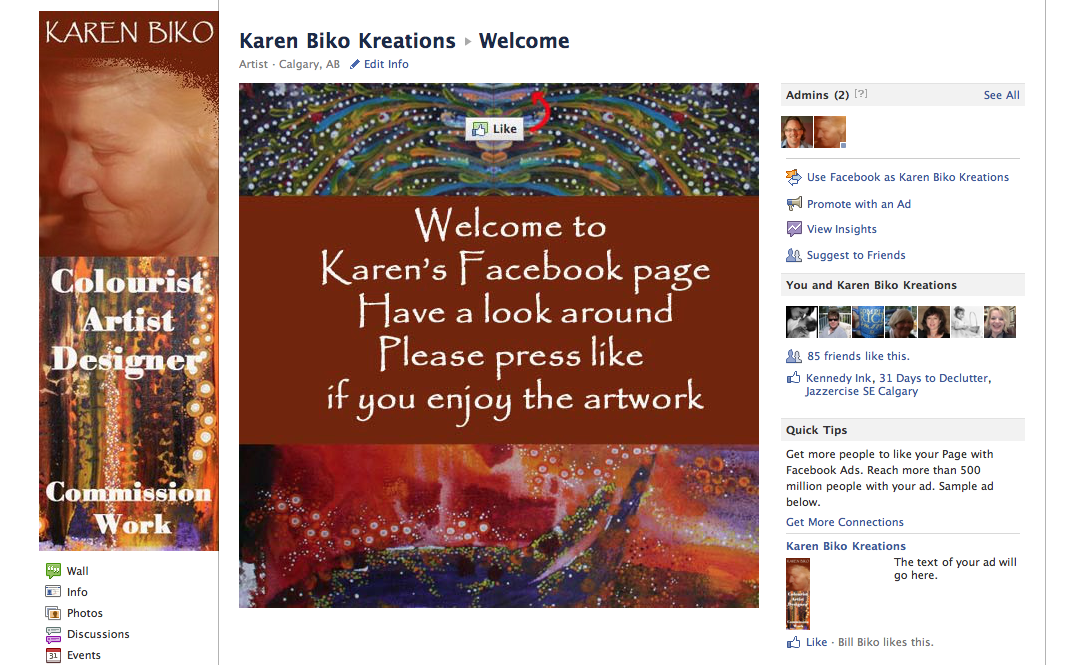
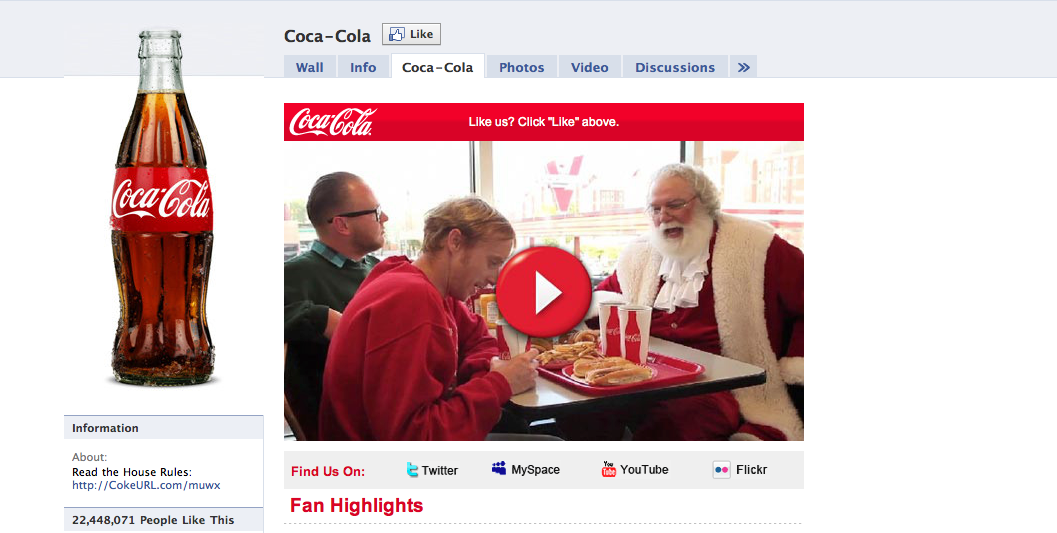
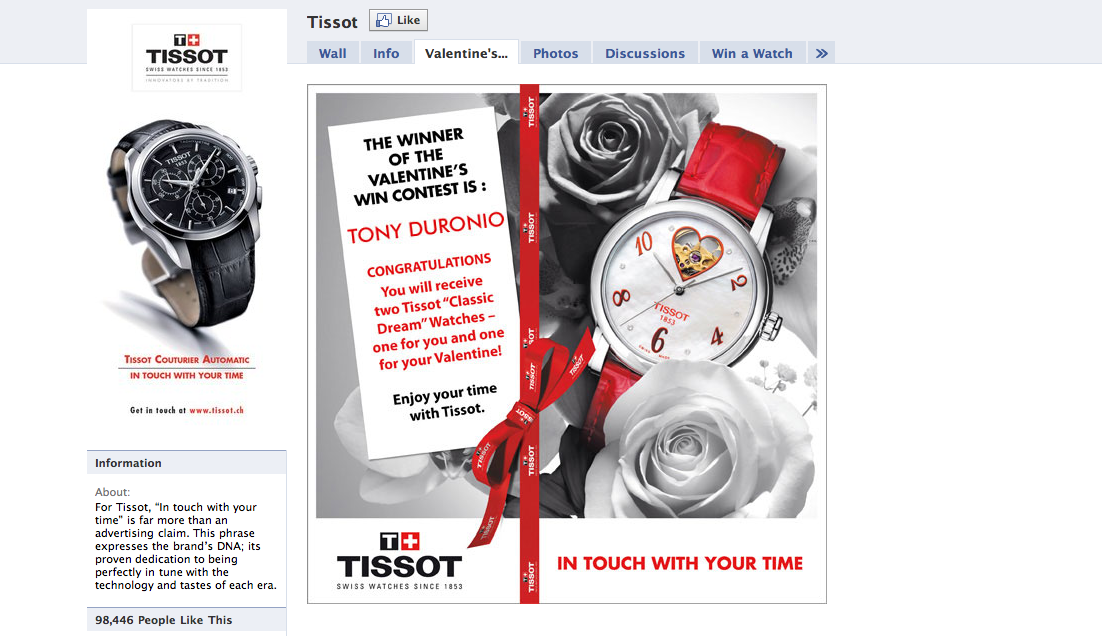
The big changes are the removal of tabs across the top of the page and the addition of the photo-bar across the top making the page more closely resemble regular profile pages. If you are concerned the special tabs you had are completely gone, don’t worry, they have just moved down the left side of the page, again like the profile page.

This new navigation system is much cleaner and easier to use, but at the expense of also blending in much more than the former tabs did. Time will tell if this becomes a feature people are aware of, or will simply be ignored and become less valuable of a capability.

Perhaps the most talked about feature though is the ability to post as the Fanpage. You can now login as the Page itself. To do this you just need to go to your account tab and choose Use Facebook as Page.

From there you have the option to switch to a page you are an admin on and now you are that page. If you “like” another page or post, it shows up as the Fanpage, rather than as your personal profile (although there is nothing from stopping you liking it with both!).

The advantage of this is Fanpages can do a much cleaner method of ensuring their branding themselves properly. Prior to this, it all merged together, now Fanpages and personal pages are their own separate entities.

The final user feature I will mention is the new method which posts appear on the wall. They no longer appear chronologically, but rather by popularity. This allows the most commented and liked posts to move to the top of the page and the less popular ones slide further down.

Of course with all these changes there also has to be some background changes. These technical changes involve the transition from Facebooks current FBML language to the use of iframes. For the average user this won’t make much difference, but for those of you with custom pages or looking at getting a custom page, the use of iframes brings up an amazing multitude of new possibilities.

I have a new page I am working on, so watch for details to see what some of the early techniques you can use are to optimize your fan’s experience!

Filed Under: Facebook, Internet Marketing for Business, Local Business Web Marketing Tagged With: Facebook, facebook fanpages, internet marketing for business, promote your business online, small business websites

Mobile Marketing – Is Your Business Ready?

March 3, 2011 By Bill Biko

I just finished reading a great post over at the MarketRumba website (http://www.marketrumba.com) that talks about how mobile is the next huge area of growth for business. Some of the numbers are simply astounding as far as the penetration of smart phones into the market and the growth projections over the next year. Add on top of that mobile devices like iPads, galaxy’s and a whole stream of other tablet products that either are on the market, or are arriving weekly.

It’s a market that smart business owners cannot ignore, because their competition isn’t! If you own a smart phone and have ever done a Google search, you already understand the power of being connected anywhere and anytime. Potential customers can now find out about you (or your competition) immediately rather than waiting to get to their desktop.

Because this is such a new market for many businesses, we are just at the beginning of the curve as far as new ways of engaging clients, selling products and even capturing client information. There will be new advances that will absolutely astound us when we first see them, but will be commonplace over the next few years. And business cannot ignore this.

Dianna had a great video from Google on her site which I have grabbed from YouTube and embedded below for you. I’ve also included a link below to her original article. The video itself is just over an hour, but I highly recommend you watch it if your business is not already marketing online to the mobile market.

Here is the link to Dianna’s article,   Is Your Business Mobile Ready?

Filed Under: Internet Marketing for Business, Local Business Web Marketing, Mobile marketing Tagged With: Calgary online marketing campaign, internet marketing for business, Internet marketing in calgary, mobile marketing, promote your business online, small business websites

Facebook Fanpages – Why They Matter

February 18, 2011 By Bill Biko

Facebook is a Force

If you haven’t noticed, Facebook has quietly become a dominant force online. In the last year, it’s had some very notable achievements, not the least of which is an entire movie called The Social Network!

Here are some quick facts about Facebook.

  • Over 500 million users worldwide
  • 50% of users login to Facebook any given day
  • 700 billion minutes are spent on Facebook, each month

The implications of this to a business owner are huge. Over 500 million users all in one place is exciting enough, but knowing how often people log in to the site and how much time they spend online with Facebook just make it that much more enticing.

You Need a FaceBook Fanpage

Now you have to understand that you are not the only person or company that has noticed this. Facebook has become such a huge enterprise that it has led to a multitude of different businesses processes being built to complement it and even to profit from it and there is no reason you cannot be one of them. If you are currently on the outside looking in, one of the most important steps a business can make to start becoming involved, is to claim your own Facebook Fanpage .

Your Facebook Fanpage will allow your business to have that first step into the world of Facebook and Social Media. If you believe that this doesn’t make a difference you might want to be aware that over 80 of the top 100 websites based out of the US have integrated with Facebook and over 2 millions websites worldwide have integrated themselves with Facebook, usually directly via Fanpages.

Of course, there is more to just having a Fanpage, but getting that page started is the crucial step that is needed to move forward and getting their company noticed. Once it is up and running it provides you with the beginning platform to promote your business, to grow a tribe of raving fans and to allow you to become seen by a much broader audience.

Most importantly, this potential audience has an average of 130 friends linked to them in Facebook, many of whom are just like them and are likely to be influenced by their decisions. If you have a product or service that benefits from people talking about you in a positive way can you see where this can lead?

The question at this point isn’t whether you need a Facebook Fanpage, really, it’s how quickly you can get it up and running and start using it as a platform. So what are you waiting for? Shouldn’t you be out there starting your own Fanpage?

Well, this is where the wheels tend to fall off and good intent often gets overwhelmed by sheer confusion. While it’s important to get a Fanpage set up, it can be a rather confusing process. But don’t give up, you still have options! If you absolutely positively have to get something up now, this is just one of the services we can provide, or you can find someone else to hire to get the work completed. However, if you can hang on for a week or two and want to tackle this yourself, I am in the process of putting together a guide that will take you through the process.

Decision Time

So you have some decisions to make, but let me give you your options.

If you have plenty of time and don’t mind leisurely getting around to it, there are plenty of free and paid resources out on the internet as to how to set up a Fanpage. With a little searching around and some time spent with Google, you should be able to find some information on how to get started. Just be careful you have the current information. Facebook has made a couple of huge changes just in the last few months and older guides may be more confusing now than helpful as the process has changed a bit.

If you have some time, understand you need to get on this, but can wait a bit longer, I recommend you scroll up to the top of the page and fill out the form near the top right of the page and grab your Free Social Media Report. By filling out the form, I will provide you with some great additional information about what is happening with Social Media as a marketing tool and how it is affecting business right now. Plus when the guide is available, you will be the first to know as I will update people on that list immediately!

Finally, if this is time sensitive  and need a Fanpage ASAP away email me at bill@billbiko.com and we can get started moving forward almost immediately and getting you set up. I’ll need some information from you, a bit of understanding about your business, what your aspirations are and how I can help you get there to start. Once we have that we’ll get you set up quickly and correctly, so you are off to the right start immediately.

Just to conclude this, I would love to know your thoughts about Facebook and Fanpages, so if you have one already please tell us about it. Just leave us a comment below. Or if you have a favourite Fanpage from another business you like, why don’t you tell us about it too!

Filed Under: Facebook, Internet Marketing for Business, Local Business Web Marketing Tagged With: Calgary online marketing campaign, calgary small business internet video promotion, Facebook, facebook fanpages, internet marketing for business, promote your business online

Have You Claimed Your Google Place?

February 16, 2011 By Bill Biko

Google Places Listings

It’s amazing how many local businesses have no idea about Google Places. Which brings up the question of “What exactly is Google Places?” To answer that I helped a friend of mine Steve Bell of Target Your Site Locally to create a video explaining a bit about Google Places to you.

You can watch the video below to learn a bit more and Steve has also put together a free guide explaining how you can actually set up your own Google Places listing. Just head over to his site at http://www.targetyoursitelocally.com to grab it, after you watch the video of course!

Some of the information that didn’t make the video is that a company doesn’t even need their own website to get some value from a google Places listing, but the two in combination can really help your marketing efforts.

Anyway take a look at the video and if you have any comments or questions I would love to hear them.

Just a quick note for you, if you already have your Google Places listing configured, but it hasn’t really helped your business, it may just require some optimization. Along with helping companies set up their own Google Places listings, we can also come in and optimize the listing for you to ensure you are getting the most bang for your buck.

Enjoy,

Bill

Filed Under: Internet Marketing for Business, Local Business Web Marketing Tagged With: Calgary online marketing campaign, internet marketing for business, Internet marketing in calgary, promote your business online, small business websites

  • 1
  • 2
  • 3
  • Next Page »
  • Home
  • Resources
  • Custom Website Examples
  • Services
  • About Bill Biko

Copyright © 2026 · BillBiko.com